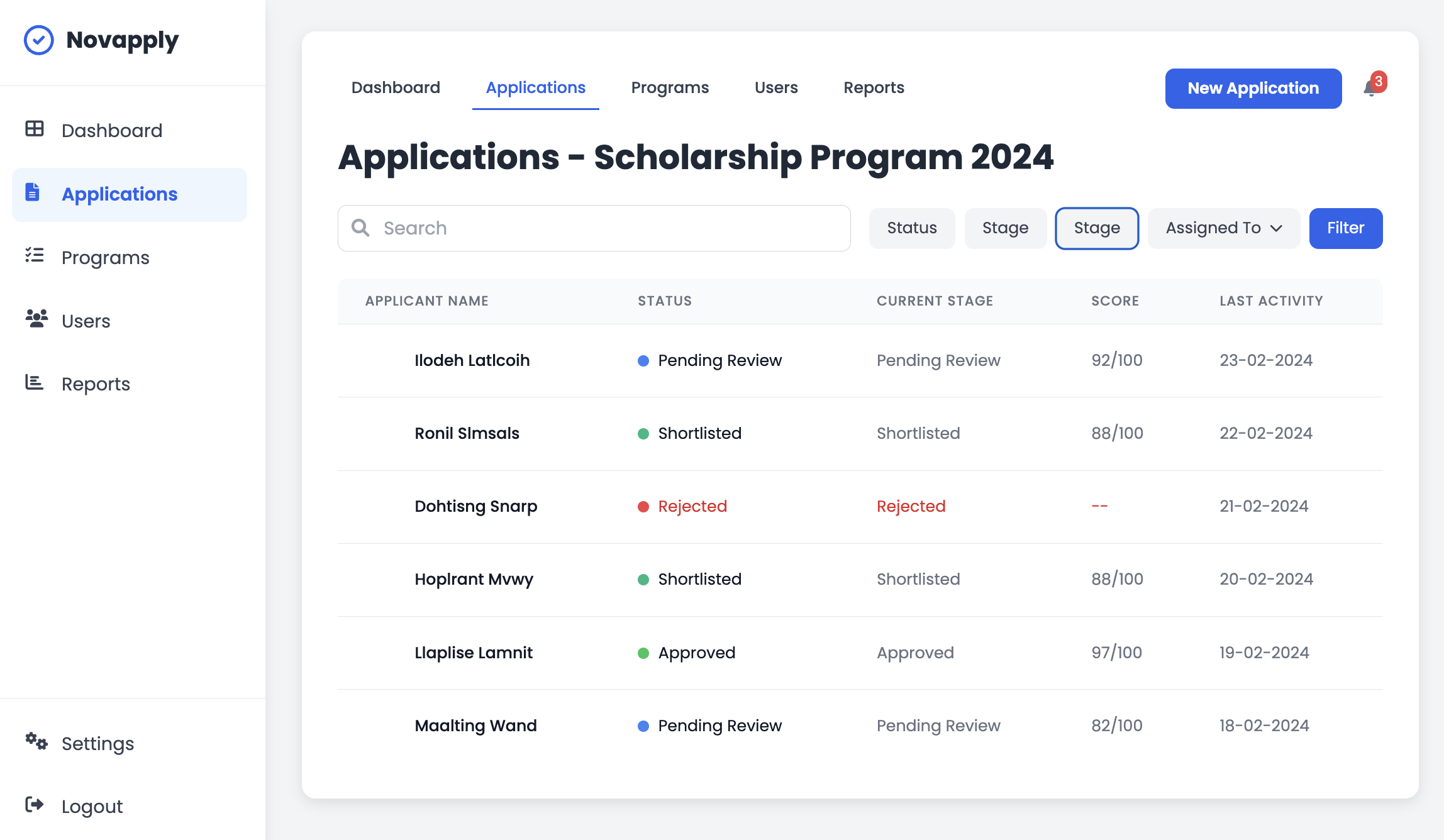
From the main Dashboard, use the filter buttons located above the applications table. You can filter by Status (Pending, Shortlisted, Rejected, Approved), Stage, or by the specific team member Assigned To
AI-powered Forms, smarter evaluations
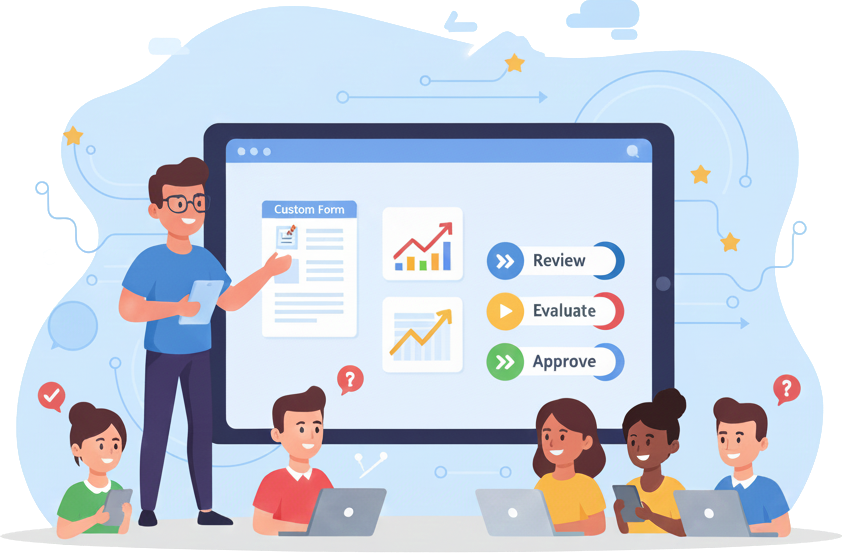
The platform helps applicants complete forms with AI assistance and enables organizations to automatically evaluate submissions using AI.








Forms. Just. Better.
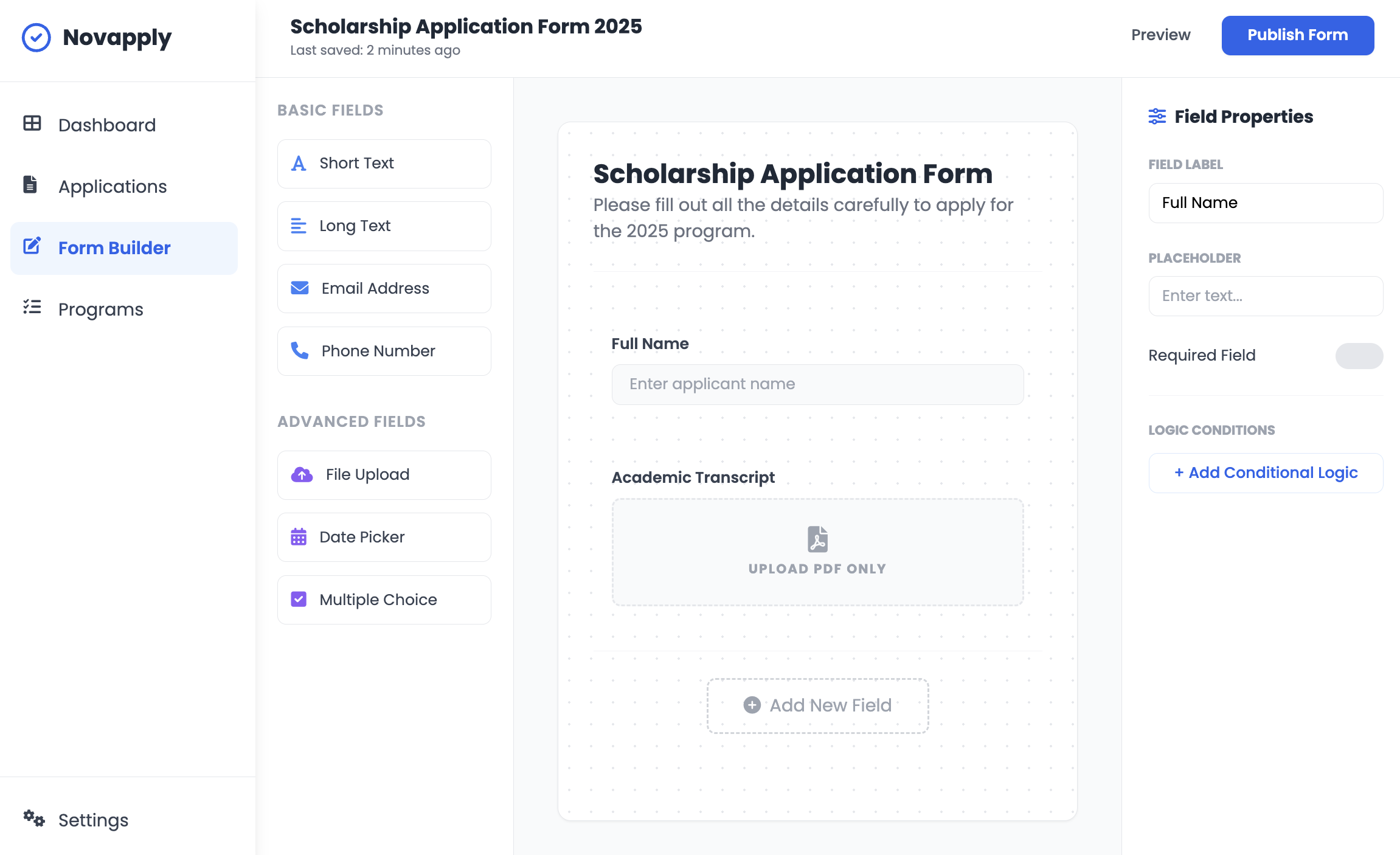
From AI Generated forms to fully customized experiences. You decide how you’ll receive the data you need from people and organizations.
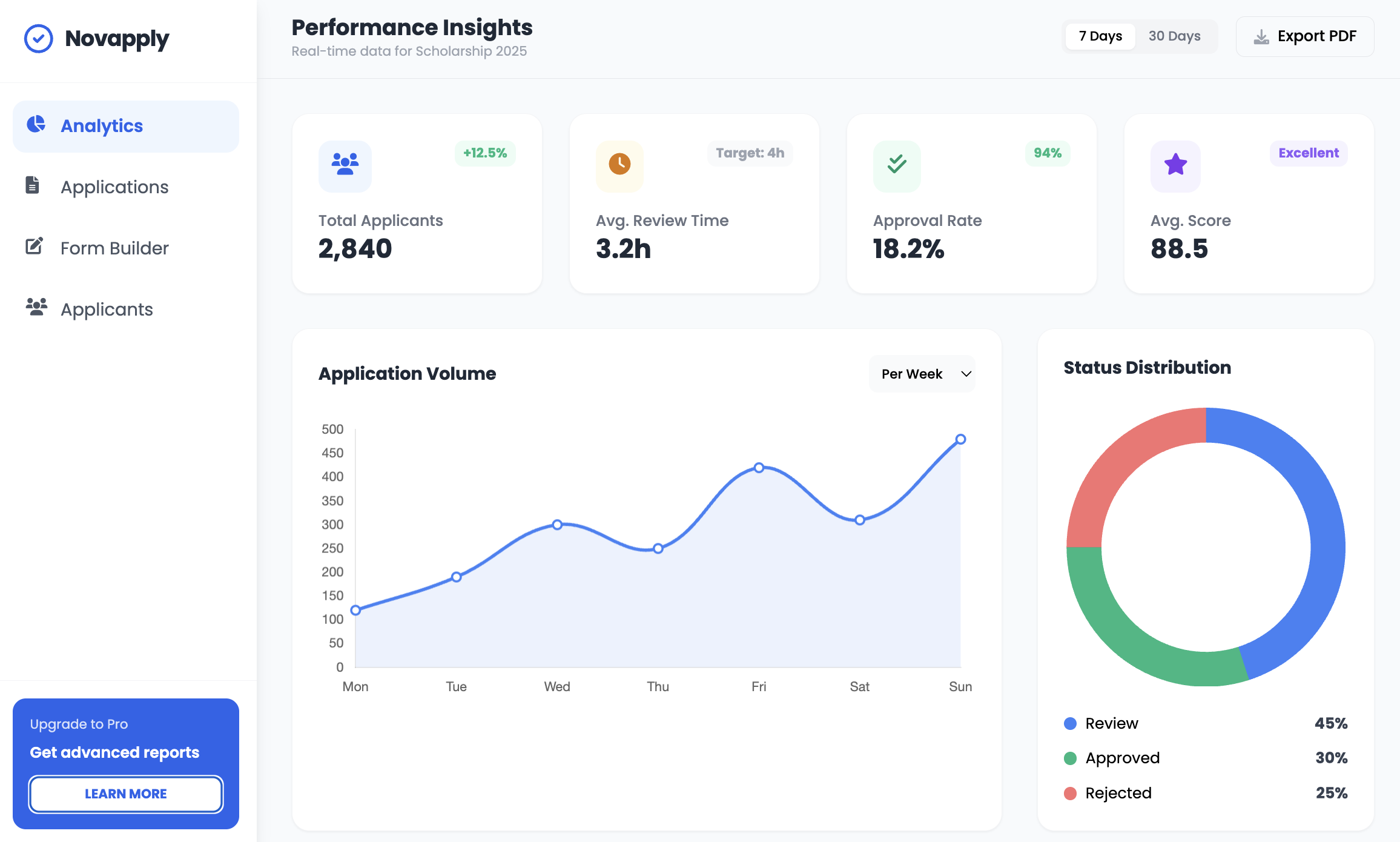
Visualize your data easily
- Instant dashboards
- Full customization graphs
- White labeled for your organization
AI Assistant
Let our AI generate your forms and review responses according to your needs in seconds.
Frequently asked questions
What does the "Score" in my application list mean?
The Score is an automated rating (0–100) generated by the system based on pre-set criteria and the initial AI Assistant analysis to help you prioritize your reviews.
Form Builder - How do I add new fields to my form?
In the Form Builder, drag components from the left panel (Short Text, File Upload, etc.) onto the central canvas. You can also click the “Add New Field” button at the bottom of the form.
Form Builder - Can I make fields mandatory?
In the Form Builder, drag components from the left panel (Short Text, File Upload, etc.) onto the central canvas. You can also click the “Add New Field” button at the bottom of the form.
Form Builder - What is conditional logic in forms?
It is a feature that allows you to show or hide fields based on the applicant’s previous answers. You can configure this in the “Logic Conditions” section within the field properties.
Data Visualization & Analytics - How often do the Analytics charts update?
It is a feature that allows you to show or hide fields based on the applicant’s previous answers. You can configure this in the “Logic Conditions” section within the field properties.
Data Visualization & Analytics - Can I export my data reports?
Yes, in the top right corner of the Analytics section, you will find the “Export PDF” button to download a presentation-ready version of your current metrics.
AI Assistant (AI Review) - How does the inconsistency detection work?
Our AI scans long-text responses (like the Personal Statement) and cross-references them with the profile’s objective data. If it detects contradictions or drastic changes in focus, it will highlight the text in a translucent color for the human reviewer to make the final call.
AI Assistant (AI Review) - Does the AI Assistant make approval decisions on its own?
No. Novapply’s AI is designed to assist, not replace. It highlights key points and suggests a score, but the final “Approve” or “Reject” decision always rests with a human administrator.
AI Assistant (AI Review) - Can I re-run the AI analysis if an applicant updates their info?
Yes, simply click the “Rerun AI Review” button in the header of the review panel to process the updated information.